MM2 Calculator
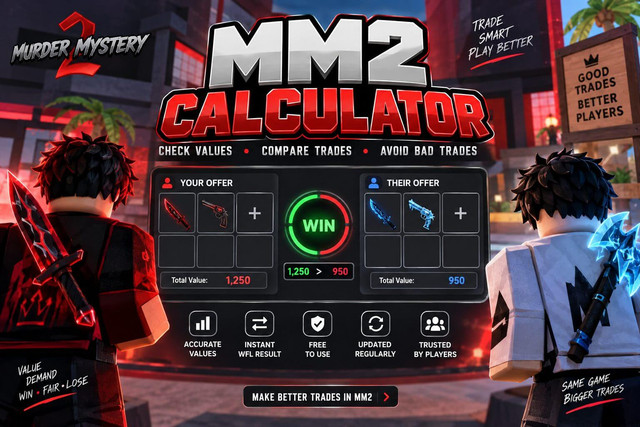
Compare both sides of a Murder Mystery 2 trade with this free MM2 Calculator. Add your items and the other player’s items to see the total values and a Win, Fair, or Loss result.
Values based on community data, updated daily. Not affiliated with Roblox or Nikilis.
Want to play Murder Mystery 2? Visit the official Murder Mystery 2 page on Roblox.
What Is the MM2 Calculator?
MM2 Calculator is a free Murder Mystery 2 trading tool that compares the listed value and demand of items on both sides of a trade and gives a Win, Fair, or Loss result. The MM2 Trade Checker also lets players compare both sides of a trade using the listed item values.
Quick answer: Add the items you are giving under Your Offer and the items you are receiving under Their Offer. The calculator totals both sides and shows the comparison immediately. You can also look up an individual item or calculate your inventory total.
How to Use the MM2 Calculator
The calculator has three functions: trade comparison, individual item lookup, and inventory total. For a trade check here:
MM2 WFL Calculator
WFL means Win, Fair, Loss. The calculator compares the total listed value of both offers rather than judging only one item.
The value you receive is more than the value you give by the calculator’s threshold.
The two totals are within 10% of each other.
The value you give is more than the value you receive by the calculator’s threshold.
The exact difference is also displayed, so you can see how far apart the two offers are instead of relying only on the WFL label.
MM2 Values and Demand
The calculator uses a listed value for each item when adding up a trade. It also shows demand, which provides additional context about an item’s trading activity.
Value and demand are not the same thing. A higher listed value does not automatically mean an item will be easier to trade. For unusual or expensive trades, consider both the calculator result and current trading activity.
Individual Item and Inventory Calculation
Use the Item Value tab when you want information about one item. It shows the item’s tier, listed value, demand, and type.
The Inventory Total tab lets you add multiple items and calculate their combined listed value. This is useful when you want to estimate the total value of a collection or prepare several items for a trade.
Common Mistakes to Avoid
- Leaving out an item. Include every item on both sides before reading the result.
- Checking only one item’s value. A trade with several items should be compared using the complete offers.
- Ignoring demand. Use demand as additional context when two offers are close in listed value.
- Using outdated information. Community values can change, so recheck values after updates.
- Not checking a changed trade. If an item is added or removed in-game, run the comparison again.
- Relying on the WFL label alone. For high-value or unusual items, also consider current trading activity before accepting.
Before You Accept a Trade
- Make sure the items entered in the calculator match the in-game trade window.
- Check the total value on both sides and the displayed difference.
- Look at demand when the listed values are close.
- Recheck the trade if either player changes an item.
- For expensive or unusual items, compare current market information as well.
MM2 Calculator Item Coverage
The current calculator dataset contains 889 item records across the listed MM2 tiers and item types in the tool. The values are built into the calculator, so you can search for an item directly instead of manually checking a long value list.
Browse the complete MM2 Values page for the listed items, then use the calculator above to compare a trade.
Calculator Data and Limitations
- Value source: the calculator uses community value data sourced from Supreme Values.
- Updates: the site’s dataset and page information are reviewed as the value data is updated.
- Community values: MM2 does not publish one official player-trading price list, so community values can change.
- High-value trades: use demand and recent trading activity as additional context rather than treating a listed value as a guaranteed sale price.
Frequently Asked Questions
What is the MM2 Calculator?
A free Murder Mystery 2 tool that compares the listed value of items on both sides of a trade and gives a Win, Fair, or Loss result.
What does WFL mean in MM2?
WFL stands for Win, Fair, and Loss. It describes the result of comparing the two sides of a trade.
Is the MM2 Calculator free?
Yes. The calculator is free to use and does not require an account or signup.
How does the calculator determine WFL?
It totals the listed values on both sides and compares the difference. A difference within 10% is treated as Fair by this calculator.
Can I check one item’s value?
Yes. Use the Item Value tab to select an item and view its tier, value, demand, and type.
Can I calculate my whole inventory?
Yes. Add your items in the Inventory Total tab to calculate their combined listed value.
How accurate are MM2 values?
The calculator is a trading reference based on community value data. Values can change, so high-value or unusual trades should also be checked against current trading activity.
Does the calculator work on mobile?
Yes. The calculator is responsive and can be used on mobile devices without an app.
Add both offers above and check the result before confirming the trade in-game.
Check My TradeValues sourced from Supreme Values community data, updated daily. Not affiliated with Roblox Corporation or Nikilis.